DSP
System-wide EQ, effects and upsampling in float 64, with inspectable filters.
Beta · 0.10.1Packages for Arch, Debian / Ubuntu and Fedora. Free and open source.
Version 0.10.1, beta.
64-bit Linux with PipeWire and WirePlumber. Packages are on GitHub Releases.
curl -fLO https://github.com/audivane/dsp/releases/download/0.10.1/audivane-dsp-0.10.1-1-x86_64.pkg.tar.zst && sudo pacman -U ./audivane-dsp-0.10.1-1-x86_64.pkg.tar.zstcurl -fLO https://github.com/audivane/dsp/releases/download/0.10.1/audivane-dsp_0.10.1-1_amd64.deb && sudo apt install ./audivane-dsp_0.10.1-1_amd64.debsudo dnf install https://github.com/audivane/dsp/releases/download/0.10.1/audivane-dsp-0.10.1-1.x86_64.rpmgit clone https://github.com/audivane/dsp.git && cd dspSetup, routing and troubleshooting: DSP docs. Source code: github.com/audivane/dsp.
One processor for the whole system.
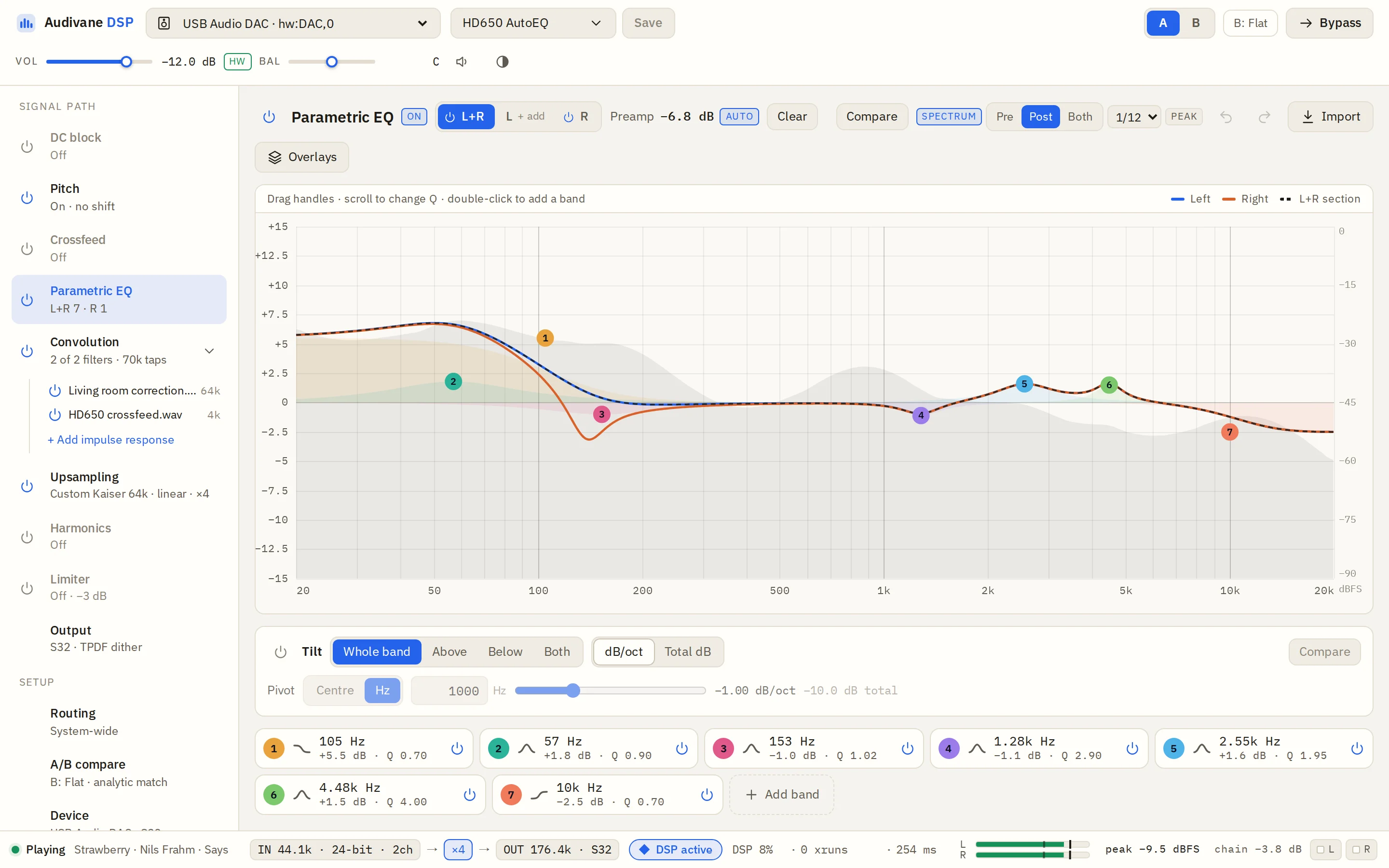
Audivane DSP opens your DAC directly, clocks PipeWire from it and processes in 64-bit float. The desktop app edits every stage live.
Two outputs
A DSP sink for the whole system and a bit-perfect sink for your music player.
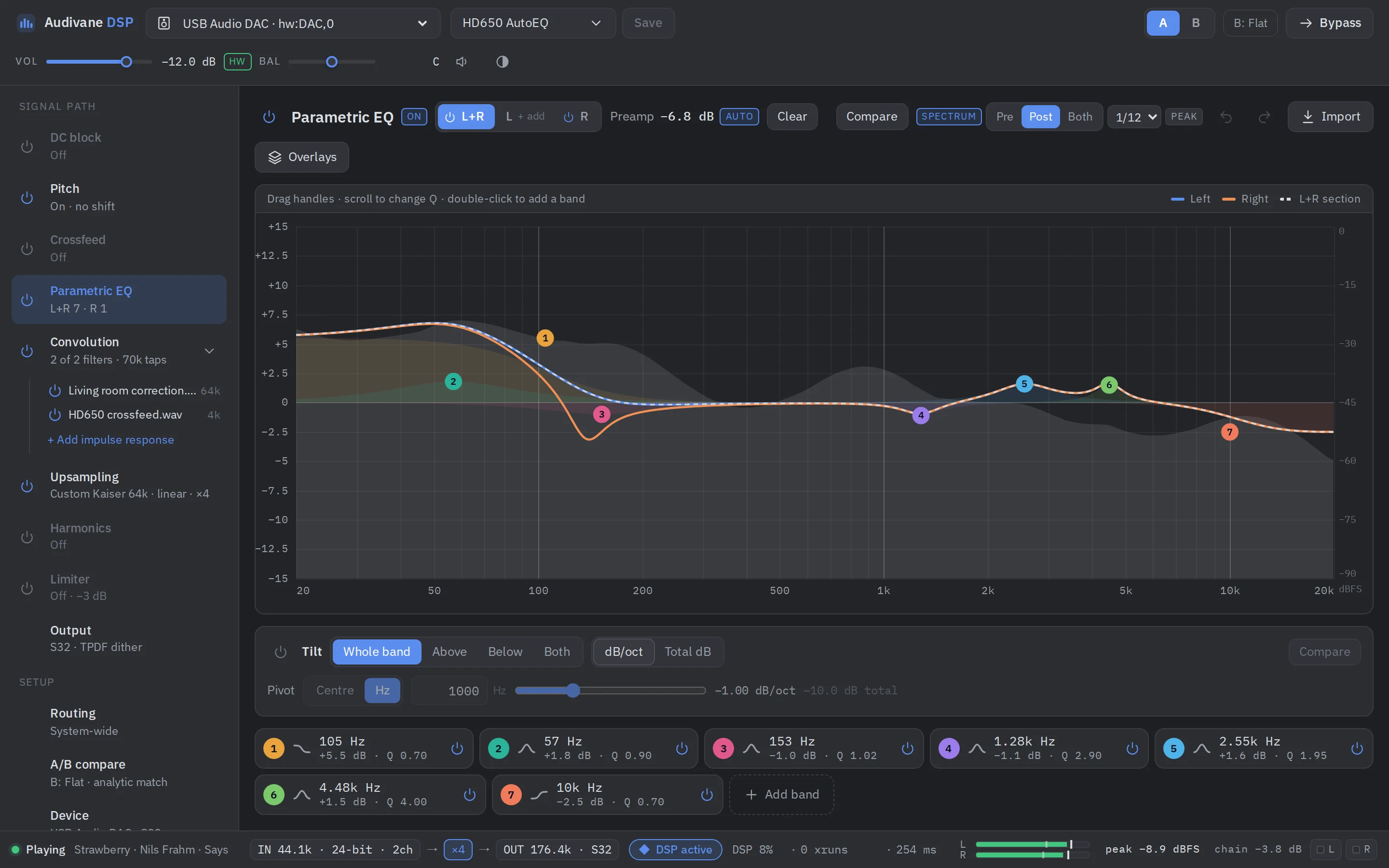
Parametric EQ per channel
L+R, L and R sections, tilt, AutoEQ import and target overlays.
Convolution
Chain impulse responses, for room correction and more.
More stages
DC blocker, crossfeed, harmonics, pitch shift and varispeed.
Upsampling to any rate
66 presets, Recommended and a Custom editor. Integer, fractional and decimating ratios.
Output, headroom and limiter
Headroom against inter-sample overs, a true-peak limiter and 11 dither modes.
A/B compare
Compare any stage, filter or output setting, level-matched.
Also play on
Up to three more DACs, drift-tracked and aligned.
Volume
Software, hardware or hybrid, with a ceiling and a guard against sudden jumps.
Desktop integration
Tray volume, volume keys with an on-screen display, start at login.
Stays in real time
Falls back to a lighter chain instead of crackling.
Live meters and spectrum
Peak and limiter meters, and a live spectrum behind the EQ.
Filters you can inspect.
Integer ratios up to ×64, fractional (44.1 → 48 kHz) and decimating (192 → 48 kHz), up to 3.072 MHz.
Recommended
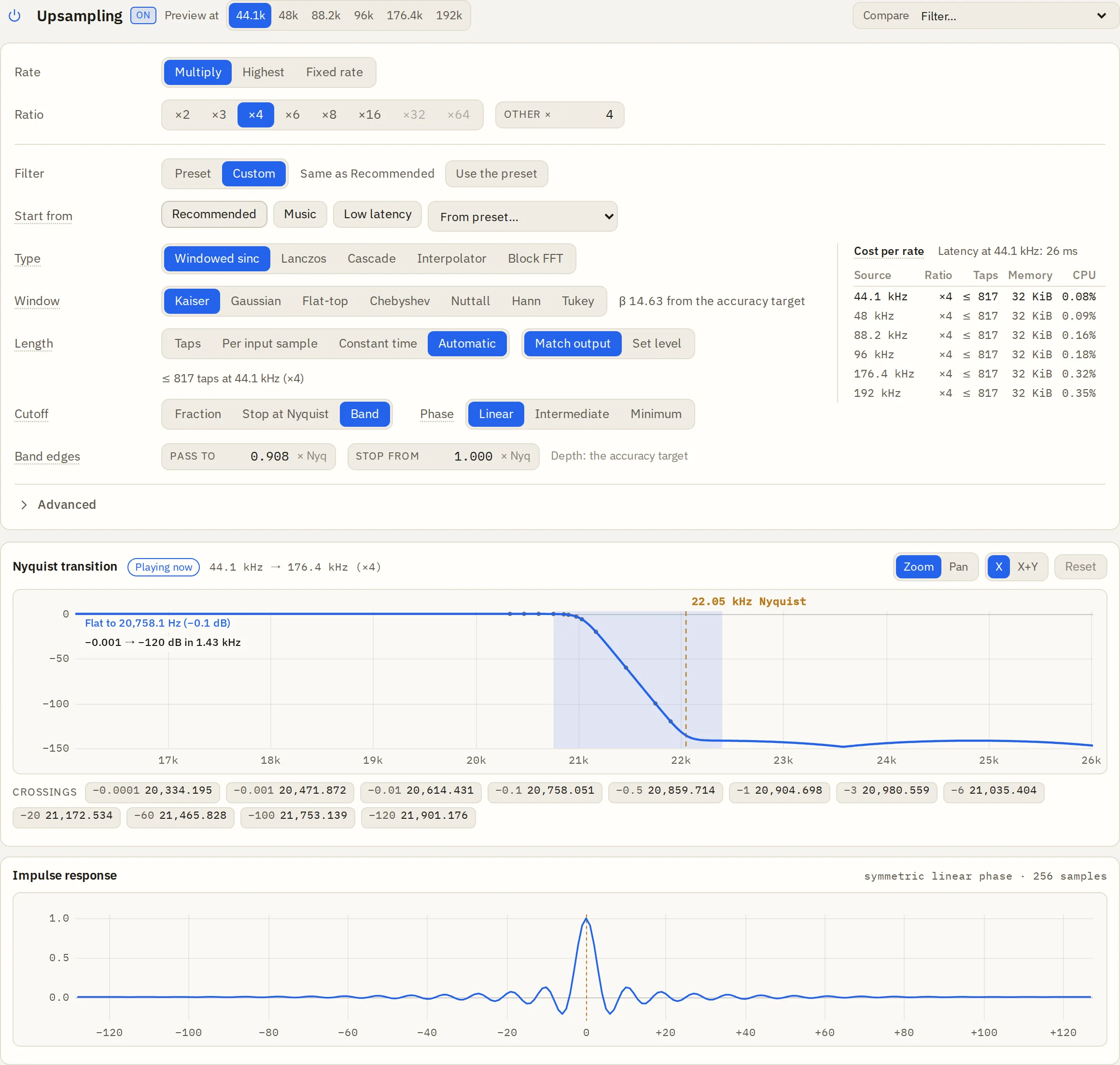
The highest rate of the source's family, up to 768 kHz, with a linear-phase Kaiser filter sized to the output's bit depth: flat to 20 kHz at 44.1 kHz, fully stopped at Nyquist.
Presets
66 presets in several lengths, in linear, minimum or intermediate phase:
| Family | Trade-off |
|---|---|
| Gaussian | Smooth roll-off, no ringing at one frequency. |
| Flat-top | Sidelobes at −196 to −248 dB, slower transition. |
| Chebyshev | Short, with an even −193 dB stopband floor. |
| Kaiser | Wide passband, or compact with a cutoff that follows the rate. |
| Half-band, Hann | Cutoff at Nyquist; every input sample is kept. |
| Lanczos, Nuttall | Short and light, little ringing, early roll-off. |
| Short leaky | Short, early roll-off, lets some images through. |
| Cascades | ×2 and ×3 stages: FIR, FFT, elliptic or inverse Chebyshev. |
| Interpolators, block FFT | Near-zero CPU and delay, or a brick wall per block. |
Custom
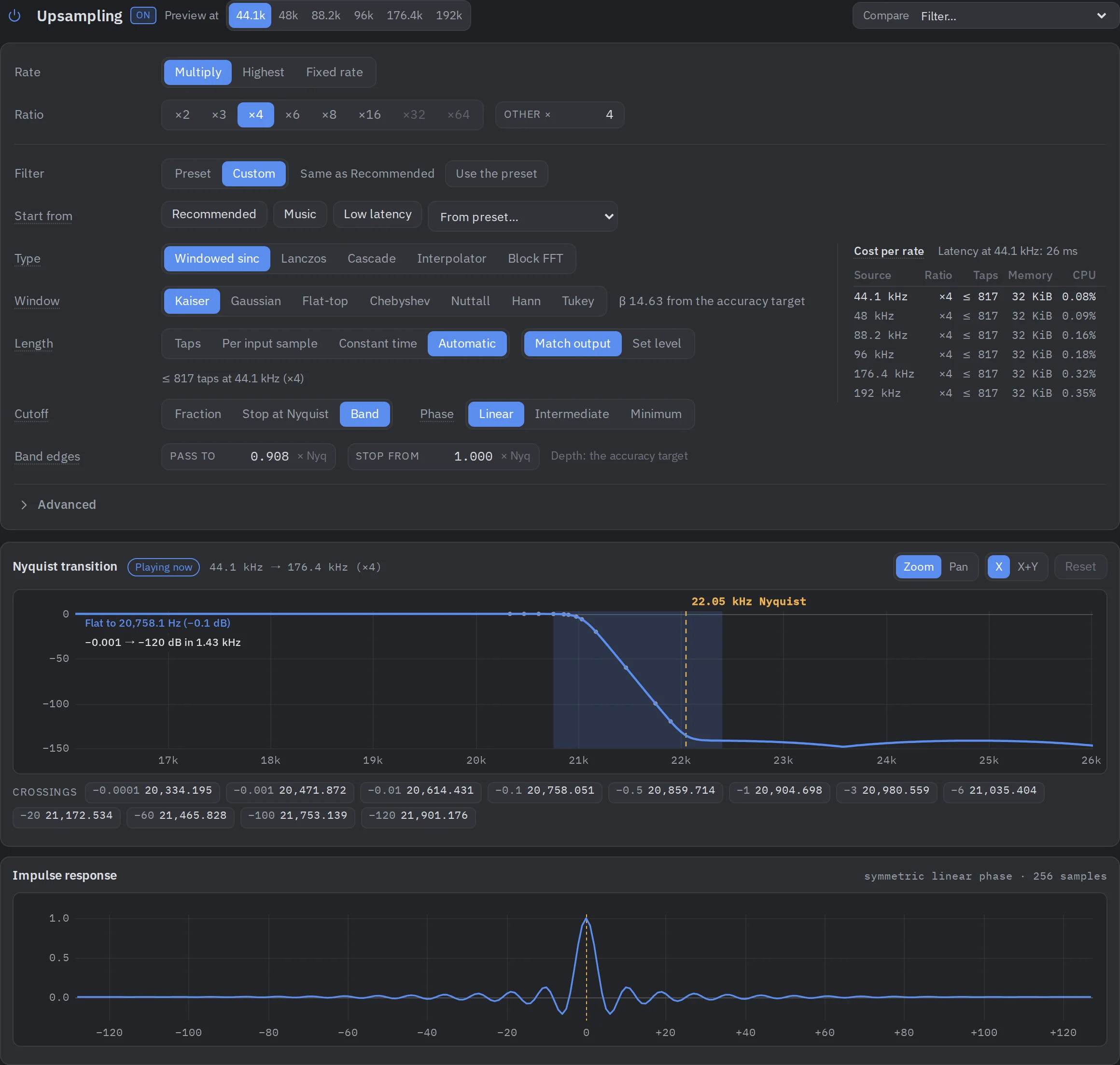
Design your own: type, window, length, phase and cutoff. Start from any preset; changes play as you edit.
Inspectable filters
Every filter is measured as built: the response around Nyquist with its level crossings, the impulse response, and what it costs in taps, memory and CPU at each rate.